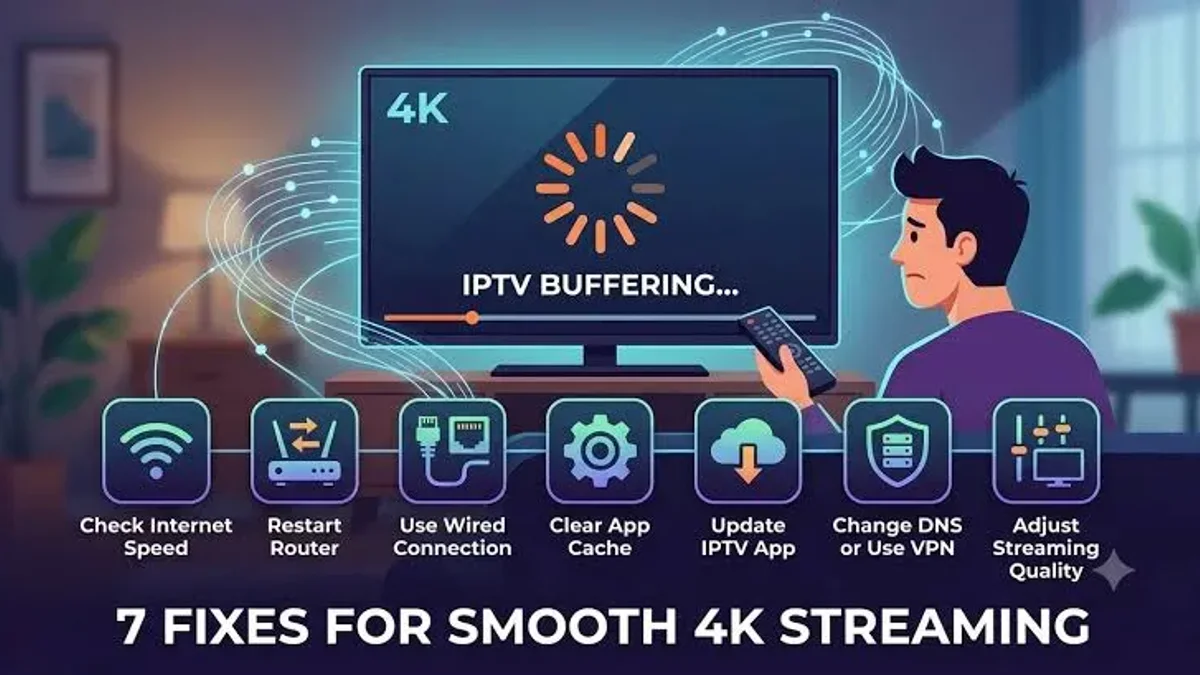
How Does IPTV Work? The Definitive Beginner’s Guide

How Does IPTV Work? The Definitive Beginner’s Guide
For decades, accessing home television entertainment meant relying on rigid, physical distribution infrastructure: copper coaxial cables drilled through living room walls, motorized or fixed parabolic satellite dishes bolted to roofs, or terrestrial aerial antennas capturing fragile radio frequencies through the air. If a violent thunderstorm swept across your neighborhood, satellite signals degraded or dropped entirely. If you wished to watch a decisive Premier League match in your home office, catch an NBA playoff game while traveling, or stream an international news broadcast on your tablet in the backyard, you were immediately constrained by the physical boundaries of that single wall-mounted cable outlet.
Internet Protocol Television (IPTV) fundamentally dismantles this legacy broadcast model. Instead of transmitting video through frequency-modulated radio waves or dedicated closed-circuit copper cables, IPTV harnesses the universal packet-switched architecture of the modern internet. By converting audio, video, and interactive metadata into standardized digital data packets, IPTV delivers high-definition live television, interactive sports broadcasts, time-shifted programming, and extensive on-demand cinematic libraries directly to any connected display in your home or on the go.
Whether your goal is to cut the cord on escalating monthly cable bills, eliminate expensive equipment rental fees for proprietary set-top boxes, or stream pristine 4K live sports across all your household devices, understanding how IPTV operates from the television studio to your screen is essential.
In this comprehensive technical and practical guide, we demystify every layer of the IPTV technology stack. We will examine the core engineering differences between traditional broadcasting and internet streaming, trace the five-stage transmission journey of a live stream, explore the underlying network transport protocols (such as HLS and MPEG-TS), analyze playlist architectures like M3U and the Xtream Codes API, evaluate client-side hardware and video decoders, examine network quality metrics, and provide an actionable, step-by-step roadmap to achieve smooth, buffer-free playback on any device.
Stream 2026 NFL Games in 4K & 60FPS
Get instant access to over 50,000 live sports channels, 120,000+ movies & series, and 24/7 priority sports coverage across all your favorite devices.
1. What Is IPTV? The Architectural Shift from Radio Frequency to Packet Networks
To grasp how IPTV functions, one must first understand the engineering principles that separate traditional television broadcasting from modern internet protocol data distribution.
Traditional Television: Frequency-Modulated One-to-Many Broadcasting
Traditional broadcast mechanisms—encompassing over-the-air terrestrial television (ATSC, DVB-T), cable television (CATV via QAM), and direct-broadcast satellite (DVB-S)—operate on a linear, one-to-many continuous distribution model.
In a traditional cable television network, the service operator maintains a central transmission facility known as the cable headend. The headend collects feeds from satellite downlinks, production studios, and terrestrial antennas, modulates each television station onto a distinct radio frequency (RF) carrier wave, and simultaneously multiplexes hundreds of these frequency channels into a single physical coaxial or hybrid fiber-coaxial (HFC) line running into your neighborhood.
When that physical cable enters your residence and connects to your television or set-top box:
- All channels arrive simultaneously: Regardless of whether your television is turned on or off, every single station in your subscription package is physically entering your home at that exact second.
- Tuning by Frequency Isolation: When you press "Channel 205" on your remote control, the physical RF tuner inside the cable box filters out all frequencies except the exact megahertz band allocated to channel 205. The tuner demodulates that specific radio wave and presents the video signal on your screen.
This legacy model suffers from significant technical and economic limitations:
- Gross Bandwidth Inefficiency: The distribution network must continuously consume finite spectrum carrying hundreds of channels that nobody in your residence is actively watching.
- Physical Geographical Tethering: The television signal is hardwired to a physical wall plate in your living room. You cannot natively carry that subscription to an airport lounge, a hotel room, or a smartphone outside your local network.
- Hardware Monopolies and Hidden Costs: Because traditional cable signals rely on proprietary encryption and specialized RF tuners, consumers must lease proprietary set-top boxes from the cable provider, often generating substantial recurring equipment rental fees each month.
Internet Protocol Television: Asynchronous Switched Packet Streaming
IPTV operates on an entirely different paradigm known as a switched packet-based client-server network. Rather than broadcasting all channels continuously down a physical pipe, IPTV utilizes standard Internet Protocol (IP) communication—the exact same digital architecture that routes web pages, video calls, emails, and cloud storage.
When you launch an IPTV application on your television and select a channel:
- Asynchronous Request: Your client device generates a lightweight digital request (such as an HTTP GET request) and transmits it across your home broadband connection to the provider's streaming server infrastructure.
- Dynamic Unicast Authentication: The streaming gateway server verifies your account credentials, confirms your active subscription status, and initiates a dedicated, bidirectional data stream.
- Packetized Delivery: The server fragments the requested channel's audio and video into small, numbered digital data packets (typically 188-byte MPEG transport stream packets or HLS chunks) and transmits them across the internet using standard routing protocols.
- On-Demand Bandwidth Consumption: Your internet connection carries only the single channel you are actively watching.
When you change the channel from an international news broadcast to a live football match, your software terminates the data session for the first channel and commands the server to route packets for the second channel. Because unused channels consume zero bandwidth across your home connection, IPTV completely eliminates the physical spectrum constraints of legacy cable, enabling providers like Frixplay IPTV to offer catalogs of over 50,000 live channels, multi-angle sports feeds, and 120,000+ movies on demand without degradation.
2. The 5-Stage Journey of an IPTV Stream
How does a live goal scored in a European stadium travel across thousands of miles of transatlantic fiber-optic cables and metropolitan networks to materialize on your living room television in crystal-clear 4K resolution? The entire streaming pipeline occurs in real time across five sophisticated technical phases.
Phase 1: Content Acquisition and Signal Ingestion
The process begins at the live broadcast venue. Television networks, outside broadcast (OB) production vans, and stadium camera crews capture the live action in uncompressed High Definition or 4K Ultra HD. These raw studio feeds are transmitted up to geostationary telecommunications satellites via high-frequency C-band or Ku-band uplink transmitters, or transmitted directly across dedicated enterprise fiber-optic lines via Serial Digital Interface (SDI).
An enterprise IPTV infrastructure captures these incoming master feeds using satellite downlink teleports. These teleports are equipped with massive motorized parabolic satellite dishes, precision Low-Noise Block downconverters (LNBs), and commercial Integrated Receiver Decoders (IRDs). At this ingestion stage, an uncompressed raw broadcast feed can consume anywhere from 1.5 Gbps (Gigabits per second) for 1080p to over 12 Gbps for 4K broadcast video—a bitrate vastly too high for direct consumer broadband delivery.
Phase 2: Live Encoding, Compression, and Transcoding
To prepare the video for residential internet transmission, the high-bitrate master feed must undergo real-time digital compression and transcoding. This is performed by high-density enterprise server clusters equipped with hardware-accelerated GPU pipelines and dedicated FPGA or ASIC video processing units.
The transcoding process achieves three critical objectives:
- Bitrate Reduction via Codecs: The raw video stream is compressed using advanced video compression algorithms:
- H.264 / AVC: The universal compatibility standard. Transcoded at 4.5 to 8.5 Mbps for 1080p Full HD at 60 frames per second, ensuring smooth playback on older devices and budget smart TVs.
- H.265 / HEVC: The high-efficiency standard for 4K streaming. Provides roughly 50% greater compression efficiency than H.264 at identical visual clarity, allowing 4K 60fps streams with 10-bit High Dynamic Range (HDR) to stream smoothly over connections as low as 15 to 25 Mbps.
- AV1: The next-generation open-source video standard. Delivers an additional 20% to 30% compression efficiency over HEVC, increasingly supported by modern television chipsets.
- Audio Encoding: Audio tracks are separated, normalized, and encoded into pristine digital formats—typically Advanced Audio Coding (AAC) for universal mobile compatibility, or Dolby Digital Plus (E-AC-3) / AC-3 for full 5.1 surround sound audio pass-through on home theater soundbars and AV receivers.
- Adaptive Bitrate (ABR) Segmentation: The encoder segments the continuous video feed into tiny sequential chunks (typically 2 to 6 seconds in duration) and creates multiple resolution profiles (e.g., 4K, 1080p, 720p, 480p).
Phase 3: Content Delivery Network (CDN) Distribution and Edge Caching
Once the video has been compressed and segmented, the data chunks are pushed to origin servers. In an enterprise IPTV service, subscribers do not connect directly to the origin encoder. If tens of thousands of football fans attempted to stream directly from a single central server, the network cards would immediately saturate, causing systemic connection dropouts and severe buffering.
Instead, the stream is replicated across a Content Delivery Network (CDN) composed of geographically distributed edge servers (Points of Presence, or POPs).
- When a subscriber in London requests a channel, their stream is served from an edge cache server in the UK.
- When a subscriber in New York, Toronto, or Sydney requests the same stream, their request is routed via Anycast DNS to their closest regional edge node.
Because the physical distance between the viewer's home router and the streaming server is reduced from thousands of miles to mere dozens of miles, network packet round-trip time (RTT) drops dramatically, packet loss is virtually eliminated, and channel loading speeds become instantaneous.
Phase 4: Transport and Streaming Protocols
From the regional CDN edge server to your home router, the data travels across consumer broadband infrastructure via specialized streaming protocols:
- HTTP Live Streaming (HLS): Developed by Apple and standardized globally (RFC 8216), HLS transmits video chunks over standard HTTP/HTTPS protocols (Port 80 and Port 443). Because HLS traffic resembles standard encrypted web traffic, it passes effortlessly through residential firewalls, NAT routers, and restricted networks without requiring manual port configuration.
- MPEG-TS (MPEG Transport Stream): Standardized under ISO/IEC 13818-1, MPEG-TS is an optimized streaming container designed for real-time broadcast transmission. It encapsulates audio, video, and synchronization metadata into rigid 188-byte packets. MPEG-TS provides slightly faster channel switching times (zapping speed) because the player can immediately parse incoming packets without waiting for full multi-second chunk boundaries.
- RTSP (Real-Time Streaming Protocol): A stateful control protocol used primarily in dedicated set-top box environments for low-latency live streaming and camera feeds.
Phase 5: Client Reception, Jitter Buffering, and Hardware Decoding
The final phase unfolds directly inside your streaming hardware (such as your Smart TV, Amazon Firestick, or Android TV box).
- Network Interface Ingestion: The device's network card (Ethernet or Wi-Fi chip) receives the incoming TCP/UDP packets from your router.
- The Jitter Buffer: The player software stores incoming video packets in a temporary high-speed RAM reserve called the jitter buffer. This buffer acts as a shock absorber against real-world internet fluctuations. If your home Wi-Fi suffers a brief 500-millisecond drop in throughput, the video player continues reading seamless frames from the jitter buffer while the network recovers, preventing the screen from freezing.
- De-Multiplexing (Demuxing): The software strips the transport headers away and separates the synchronized audio and video data streams.
- Hardware-Accelerated Decoding: The raw compressed HEVC or H.264 data is fed directly into the device's System-on-Chip (SoC) video processing core (such as Android's MediaCodec or Apple's VideoToolbox). The hardware decoder converts compressed bitstreams into raw pixel color arrays in fractions of a millisecond and sends the 60fps video signal out through the HDMI port to your television panel.
3. The Three Delivery Models of IPTV
IPTV is not a monolithic technology; it encompasses three distinct entertainment formats designed for different viewing scenarios.
1. Live Television (Live IPTV)
Live IPTV corresponds to traditional real-time channel watching. Viewers tune into scheduled broadcasts as they happen—whether it is a live Formula 1 race, an international news bulletin, or an episodic sitcom airing on a major network. Because live sports and news broadcasts unfold in real time, the streaming infrastructure must prioritize low transmission latency and high throughput stability.
2. Time-Shifted Television (Catch-Up & Start-Over TV)
Time-shifted television empowers viewers to watch previously broadcast live programming without needing to own a physical hard-drive recording device (DVR).
- Catch-Up TV: The IPTV server infrastructure automatically records and caches the past 3 to 7 days of programming across major networks in the cloud. If you arrive home two hours after a live match finished, you can navigate backward in your player's Electronic Program Guide, click the completed event, and watch the entire broadcast on demand.
- Start-Over TV: If you tune into an ongoing live film 40 minutes after it began, modern IPTV players permit you to restart the program from the opening title with a single button press.
3. Video On Demand (VOD)
Video on Demand functions identically to dedicated on-demand streaming libraries. A high-tier provider like Frixplay IPTV hosts extensive media libraries containing tens of thousands of movies and complete television series on high-capacity storage server arrays.
When you select a movie from the VOD library:
- The server delivers the file via unicast HTTP streaming.
- You enjoy full DVD-style playback controls: instantaneous pausing, rapid chapter skipping, audio track switching (e.g., changing from English to French audio), and subtitle track toggling.
4. The Playlist Ecosystem: Demystifying M3U, M3U8, and Xtream Codes API
When you subscribe to an IPTV service, you do not receive a physical disc or a locked-down proprietary app. You receive access credentials that link your chosen player software to the provider's server network. In the IPTV ecosystem, these credentials are provided in two primary formats: M3U/M3U8 playlists and the Xtream Codes API.
The Anatomy of an M3U / M3U8 Playlist
Originally developed to organize MP3 audio files in media software, the M3U (and its UTF-8 Unicode encoded variant, M3U8) file format has become the universal standard directory format for internet television streaming.
An M3U file is essentially a formatted plain-text document structured with standardized #EXTINF directives followed by direct streaming URLs. Here is what an authenticated extended M3U entry looks like in technical detail:
#EXTM3U
#EXTINF:-1 tvg-id="SkySportsMainF1.uk" tvg-name="UK | Sky Sports F1 4K" tvg-logo="https://cdn.frixplay.store/logos/f1.png" group-title="UK Sports",UK | Sky Sports F1 4K UHD
https://stream.frixplay.store/live/user1049/pass84920/48192.m3u8
Let us dissect the vital parameters inside this string:
#EXTM3U: The master header declaring that the text file adheres to the Extended M3U standard.#EXTINF:-1: Specifies the duration of the media track in seconds. For continuous live broadcast streams that possess no fixed ending time, this value is universally designated as-1.tvg-id: The exact alphanumeric code matching the channel inside the XML Electronic Program Guide (EPG). When the player reads this identifier, it pairs the channel with its live television schedule.tvg-name: The recognized canonical broadcast title of the station.tvg-logo: A direct HTTPS web link to the channel's high-resolution logo icon, rendered inside your player's channel guide.group-title: The categorical folder where the channel is organized (e.g., UK Sports, US Cinema, Documentaries).,UK | Sky Sports F1 4K UHD: The human-readable channel name displayed in your on-screen menu.https://stream.../48192.m3u8: The authenticated live streaming endpoint. This URL contains your private account credentials and connects directly to the server node transmitting the live video.
The Xtream Codes API: The Modern Streaming Standard
While raw M3U playlist URLs remain functional, they present notable practical limitations. An extensive modern playlist featuring 50,000 live channels and 100,000+ VOD titles can generate a text file exceeding 60 megabytes in size. Forcing a budget streaming device (such as an entry-level Firestick or Smart TV) to download, parse, and organize a 60MB text file every time the app launches leads to sluggish boot times, interface freezing, and high memory consumption.
To solve this problem, the industry developed the Xtream Codes API protocol. Instead of loading the entire playlist in one massive file, the Xtream Codes protocol establishes an intelligent client-server connection using lightweight JSON (JavaScript Object Notation) data exchanges.
When logging in via Xtream Codes API, users enter three straightforward values:
- Server URL: The base web host address of the provider (e.g.,
http://server.frixplay.store:8080). - Username: Your account username.
- Password: Your secure account password.
Behind the scenes, your player queries the server's API endpoints dynamically:
player_api.php?username=...&password=...: The server verifies credentials, returns your subscription expiration date, checks max active connections, and reports active server status.action=get_live_categories: The player queries only the list of category names (consuming less than 15 kilobytes of data).action=get_live_streams&category_id=...: The player downloads channels only for the specific category you click on, keeping the app blazing fast, highly responsive, and light on system memory.
The Electronic Program Guide (EPG) Engine
A television service is virtually unnavigable without a reliable schedule. The Electronic Program Guide (EPG) provides the interactive digital timeline displaying what program is currently broadcasting, what is coming on next, episode summaries, director credits, and accurate start/finish timestamps.
In the IPTV ecosystem, EPG information is standardized under the XMLTV format—an XML document structured as follows:
<programme start="20260924200000 +0000" stop="20260924220000 +0000" channel="SkySportsMainF1.uk">
  <title lang="en">Formula 1: Live Qualifying Session</title>
  <sub-title lang="en">Grand Prix Grid Decider</sub-title>
  <desc lang="en">Live coverage from the circuit as drivers compete for pole position with live telemetry and trackside analysis.</desc>
  <category lang="en">Sports</category>
</programme>
Because raw XML files containing program schedules for 50,000 channels across seven days would exceed hundreds of megabytes, providers compress EPG files using Gzip (.xml.gz). Your player software downloads this compressed file in the background (typically once every 24 hours), unzips it in memory, pairs each show to its channel via the channel="tvg-id" attribute, and automatically offsets the broadcast schedule to match your device's local clock.
5. Software vs. Service: Why IPTV Players Contain No Content
One of the most persistent misunderstandings among newcomers to IPTV is the distinction between an IPTV Player application and an IPTV Subscription Service. These two entities are completely independent, yet both are mandatory to watch television.
The Hardware Analogy: The Media Player and the Media
Consider a high-end 4K Blu-ray player connected to your living room home theater system:
- When you purchase a standalone Sony or Panasonic Blu-ray player from an electronics store and power it on, it cannot display a Hollywood movie on its own. The machine contains electronic laser decoders, remote control sensors, and an HDMI output—but it holds zero media files.
- To enjoy a film, you must provide a Blu-ray disc.
- Conversely, holding a Blu-ray disc in your hand is useless without a player machine to decode the digital pits stamped onto the disc.
In the IPTV realm:
- The IPTV Player is the software engine installed on your television or streaming device. Prominent examples include TiviMate, IPTV Smarters Pro, IBO Player, XCIPTV, and Televizo. These software products are media decoders. They provide channel search bars, favorite folders, multi-screen views, picture-in-picture modes, and graphical EPG grids—but they contain zero channels, zero movies, and zero broadcast streams out of the box.
- The IPTV Service Provider (such as Frixplay IPTV) is the infrastructure provider operating satellite downlink dishes, transcoding servers, CDN distribution networks, and subscriber databases. When you purchase a subscription, the provider supplies the authentication credentials (Xtream Codes API or M3U link) that unlock access to the live channels and VOD libraries.
You input your provider's credentials into your player software, and the software connects to the provider's servers to deliver your entertainment.
6. Hardware Decoding: How Devices Process Video
The performance and stability of your IPTV stream depend heavily on the hardware processing capabilities of the device running your player app. Understanding how processors handle video prevents unexpected frame drops and overheating.
Hardware Decoding (HW) vs. Software Decoding (SW)
When an IPTV player receives compressed video packets, it must decompress thousands of video frames per second:
- Hardware Decoding (HW / HW+): The player routes the compressed video bitstream directly into the device's dedicated System-on-Chip (SoC) video processing core (such as Android MediaCodec or Apple VideoToolbox). Because the video core is physically hardwired with dedicated silicon circuits optimized solely for HEVC and H.264 decompression, it decodes 4K 60fps video with virtually zero CPU utilization. The streaming device stays cool, animations remain buttery smooth, and power consumption is minimal.
- Software Decoding (SW): If a device's hardware chip does not natively support a specific video format (for example, attempting to play a 10-bit HEVC stream on an old processor that only supports 8-bit H.264), the player must force the device's general-purpose Central Processing Unit (CPU) to calculate and render every pixel via software code. This pushes CPU utilization to 100%, causing the streaming device to overheat, lag, drop frames, and ultimately crash the application.
Comparison of Popular Streaming Hardware Platforms
To ensure smooth 4K streaming without hardware bottlenecks, evaluate the top streaming platforms:
1. Premium Android TV & Google TV Devices
- Nvidia Shield TV Pro: Widely regarded by home theater enthusiasts as the undisputed king of IPTV streaming. Powered by the Nvidia Tegra X1+ processor with 3GB of RAM and full Gigabit Ethernet (1000 Mbps), it handles high-bitrate raw MPEG-TS feeds, 4K HDR10, and multi-channel Dolby Atmos audio with zero stutter. It also features AI-enhanced upscaling that sharpens standard 1080p sports feeds into near-4K clarity.
- Chromecast with Google TV (4K) & Onn 4K Pro: Highly capable, cost-effective options running clean Google TV OS with native Google Play Store access, providing fluid navigation and excellent codec support.
2. Amazon Fire TV Devices (Firestick & Fire TV Cube)
- Fire TV Stick 4K Max (2nd Gen): Equipped with a fast 2.0 GHz quad-core processor, Wi-Fi 6E connectivity, 16GB of storage, and hardware decoding for AV1, HEVC, and VP9. It plugs directly into your TV's HDMI port and offers the best price-to-performance ratio in the consumer market.
- Fire TV Cube (3rd Gen): Features an octa-core processor and an integrated Ethernet port, providing near-instantaneous channel switching times and superior multi-screen processing power.
3. Native Smart TVs (Samsung Tizen OS & LG webOS)
- Modern Smart TVs from Samsung and LG allow direct installation of native players like IBO Player, Nanomid, and Smart STB without requiring external dongles.
- Technical Note: While convenient, built-in TV processors and internal memory are generally weaker than dedicated streaming sticks. For high-volume multi-channel zapping or running heavy EPG databases, adding an external Firestick 4K Max or Android TV box often produces a noticeably faster, smoother user experience.
4. Apple TV 4K (tvOS)
- Powered by Apple's A-series bionic processors, the Apple TV 4K delivers the fastest user interface rendering, smoothest 60fps scrolling, and best color reproduction in the industry. Specialized tvOS applications like iSTB, Smarters Player Lite, and UHF offer refined, premium interfaces.
For platform-specific installation walk-throughs across every operating system, explore our detailed IPTV device setup and installation guide.
7. Internet Speed, Network Quality, and Routing Mechanics
Many subscribers assume that if their internet speed test registers "100 Mbps," they should never experience video buffering. While raw download speed is critical, streaming live television introduces network sensitivity that differs fundamentally from viewing static on-demand files on YouTube or Netflix.
Bandwidth Thresholds: Dedicated Speed vs. Household Speed
To stream reliably, your connection must consistently deliver speeds exceeding the stream's bitrate:
| Resolution Tier | Video Codec & Frame Rate | Minimum Stream Bitrate | Recommended Dedicated Bandwidth |
|---|---|---|---|
| Standard Definition (SD) | H.264 @ 30fps | 1.5 – 3.0 Mbps | 10 Mbps |
| High Definition (720p HD) | H.264 @ 60fps | 4.0 – 6.0 Mbps | 15 Mbps |
| Full High Definition (1080p FHD) | H.264 / HEVC @ 60fps | 8.0 – 12.0 Mbps | 25 Mbps |
| Ultra High Definition (4K UHD) | HEVC / AV1 @ 60fps HDR | 18.0 – 30.0 Mbps | 50+ Mbps |
Crucial Distinction: Dedicated vs. Shared Bandwidth: The figures above represent dedicated bandwidth delivered directly to your streaming device. If you subscribe to a 50 Mbps home broadband package, but a gaming console is downloading a 40GB file while family members stream video or participate in video conferences, the real-time bandwidth remaining for your IPTV device can drop below 8 Mbps, immediately triggering buffering.
The Real Culprits: Jitter, Latency, and Packet Loss
When you stream a pre-recorded movie on Netflix, the application downloads and caches up to five minutes of upcoming video into your device's memory. If your home network experiences a brief ten-second interruption, you never notice because the app simply plays from its deep pre-loaded cache.
Live television and live sports cannot buffer minutes in advance. By definition, live events are happening in real time. Your IPTV player can only maintain a rolling jitter buffer of 3 to 8 seconds.
Because of this slim buffer margin, two network metrics matter even more than raw download speed:
- Jitter: Jitter represents the statistical variance in packet arrival latency. If Packet A takes 15ms to travel from the server to your router, but Packet B takes 220ms due to Wi-Fi channel interference, the video decoder exhausts its buffer and freezes. High-quality IPTV streaming requires a jitter measurement below 5 milliseconds.
- Packet Loss: If data packets are dropped during transmission, your player must either stall to request a TCP retransmission or skip the missing video frame entirely, causing severe screen tearing, pixelation, or audio desynchronization. Your packet loss must always register at 0.0%.
Physical Ethernet vs. Wi-Fi Frequencies
Whenever possible, connect your streaming device to your router using a physical Ethernet cable (Cat 5e, Cat 6, or Cat 7).
While modern Wi-Fi is fast, wireless radio frequencies are vulnerable to physical obstructions (drywall, metal studs, brick fireplaces), co-channel interference from neighboring routers, baby monitors, and microwave ovens. A streaming device displaying "Maximum Wi-Fi Signal" can still suffer severe packet loss spikes.
If you must connect via Wi-Fi:
- Connect exclusively to your router's 5 GHz or 6 GHz Wi-Fi band. The older 2.4 GHz band is crowded with Bluetooth and appliance interference, leading to erratic streaming performance.
- Ensure your router is elevated and positioned in an open room rather than locked inside an enclosed media cabinet.
- For Amazon Firestick devices, install an official micro-USB or USB-C Ethernet adapter to establish a rock-solid wired connection.
8. Step-by-Step Practical Walkthrough: Setting Up Your First IPTV Connection
Configuring an IPTV connection is a clean, straightforward procedure that takes less than five minutes when following this standardized workflow.
Step 1: Secure Your Subscription Credentials
Begin by selecting a subscription package from a reliable provider. At Frixplay IPTV, subscriptions include instant automated provisioning. You will receive an activation email containing:
- Server URL (e.g.,
http://live.frixplay.store:8080) - Username
- Password
- M3U Plus Playlist Web Link
- EPG XMLTV Link
Step 2: Download Your Preferred Player Software
Launch your streaming hardware and access its official app store:
- Fire TV / Firestick: Search for and install IPTV Smarters Pro or use Downloader to install TiviMate.
- Android TV / Google TV: Open Google Play Store and install TiviMate IPTV Player or XCIPTV.
- Samsung / LG Smart TV: Open Samsung Smart Hub or LG Content Store and install IBO Player or Smart STB.
- Apple TV (tvOS): Download Smarters Player Lite or iSTB.
Step 3: Authenticate Using Xtream Codes API
Launch the player application and choose the option labeled Add Playlist or Login with Xtream Codes API:
- In the Any Name / Playlist Name field, type an identifier such as
Frixplay IPTV. - In the Username field, enter your unique account username exactly as provided (case-sensitive).
- In the Password field, enter your account password.
- In the Server URL / Host field, enter the full server address including the port number (e.g.,
http://server.frixplay.store:8080). - Click Add User or Submit.
The application will communicate with the server gateway, verify your active subscription, download your channel categories, and automatically index the live EPG schedule.
Step 4: Calibrate Essential Playback Settings
Before you start watching, open your player's settings menu and adjust three crucial parameters for optimal stability:
- Playback Buffer Size: Set your buffer cache to Medium / 3 to 5 Seconds. Avoid setting it to "None" (which causes freezing during micro-fluctuations) or "Very Large" (which adds unnecessary delay when changing channels).
- Stream Format: Switch your preferred stream format setting from default to MPEG-TS for faster channel switching times.
- Hardware Decoder: Ensure video and audio decoding are set to Hardware (HW) to fully engage your device's graphics processor.
9. Comprehensive Troubleshooting: Resolving Common IPTV Errors
When streaming issues arise, they can almost always be diagnosed and resolved in seconds by understanding their root causes.
Problem 1: The Stream Buffers or Loops Every 30–60 Seconds
- The Root Cause: This is the classic symptom of ISP Bandwidth Throttling or local packet congestion. During high-profile live sporting events (such as the Super Bowl or Champions League finals), residential ISPs frequently deploy automated Deep Packet Inspection (DPI) to identify high-bandwidth continuous streaming traffic and artificially throttle the connection speed down to unwatchable levels.
- The Solution:
- Restart your home router and streaming device to flush local DNS and memory caches.
- Activate a reputable, high-speed Virtual Private Network (VPN) using modern protocols like WireGuard or OpenVPN UDP. A VPN encrypts all data packets leaving your device. Because your ISP can only see encrypted packets and cannot inspect the streaming traffic inside, their automated throttling algorithms are completely bypassed.
- For an exhaustive breakdown of memory and network fixes for recurring buffering, read our technical guide on why IPTV buffers after a few minutes and how to fix it.
Problem 2: Channel Plays Sound with a Black Screen
- The Root Cause: A video decoding failure. The incoming channel is encoded in a modern profile (such as 10-bit HEVC or 4K HDR) that your player's default software rendering engine cannot process.
- The Solution: Open your player's Settings > Playback settings and change the Video Decoder from Software (SW) to Hardware (HW) or Hardware Plus (HW+). Alternatively, configure the app to launch streams using an external player like VLC Media Player.
Problem 3: "Invalid Details" or Error 401 / 403 on Login
- The Root Cause: Credential typos, unauthorized concurrent connections, or trailing whitespace.
- The Solution: Verify that you did not accidentally paste a blank space at the end of your username or password. Check that another family member is not streaming simultaneously if your subscription plan includes a single active connection.
For an extensive step-by-step diagnostic manual covering audio-sync drift, player crashes, and channel errors, consult our full guide on how to stop IPTV freezing permanently.
10. The Future of IPTV Technology: Next-Gen Codecs and Edge Computing
Internet Protocol Television continues to advance at an astonishing pace. Over the next three to five years, several emerging technologies will redefine the streaming landscape:
- Mass Adoption of the AV1 Codec: As silicon manufacturers integrate hardware AV1 decoding into mass-market smart TVs and streaming sticks, IPTV providers will deliver 4K 60fps broadcasts with unprecedented efficiency, slashing bandwidth requirements by nearly 30% without sacrificing visual fidelity.
- Low-Latency HLS (LL-HLS): Traditional HLS streaming introduces a broadcast latency delay of 15 to 30 seconds compared to over-the-air feeds. Low-Latency HLS breaks video chunks into sub-second partial segments, reducing broadcast delay to under two seconds. This ensures you see a live goal at the exact moment it happens on the pitch, eliminating spoiler notifications from smartphone sports apps.
- AI-Driven Edge Bandwidth Optimization: Next-generation content delivery networks are beginning to deploy edge-based neural networks that predict localized network congestion and dynamically route packets around degraded internet exchange points before the subscriber ever perceives a stutter.
Frequently Asked Questions
Final Thoughts and Next Steps
The global transition from antiquated radio-frequency broadcast television to high-speed Internet Protocol Television represents the natural, inevitable evolution of home entertainment. By leaving behind rigid coaxial cables and expensive equipment rentals in favor of flexible, packet-switched streaming, IPTV delivers unmatched channel diversity, crystal-clear 4K sports broadcasting, and complete freedom across all your screens.
To unlock the full potential of internet television in your home:
- Explore our contract-free, instant-activation subscription packages on our pricing page.
- Browse our complete channel directory featuring over 50,000 live channels and 4K sports networks.
- Follow our comprehensive device installation guide to configure your streaming device in under five minutes.
- Have questions or need personalized setup guidance? Contact our 24/7 technical support team through our contact page for immediate assistance.
![Frixplay IPTV – IPTV vs Streaming Services: Complete Cord-Cutting Guide [2026]](/blog/iptv-vs-streaming-services.webp)